
No products
* Prices may vary depending on your country.
* An additional contribution can be added at the time of payment.
Product successfully added to your shopping cart
There are 0 items in your cart. There is 1 item in your cart.
Product successfully added to your shopping cart
There are 0 items in your cart. There is 1 item in your cart.
New products
-
Capmail - IMAP mail built into Dolibarr 2.0.6
Your IMAP mailboxes inside Dolibarr, in a dedicated window, with every email linked to the right customer.
100.00 € -
KSIRetail — store, POS, stock and omnichannel management for Dolibarr
Manage stores, TakePOS registers, barcodes, stock, inventories, supplier receipts, transfers, returns, loyalty, promotions and omnichannel orders in Dolibarr.
395.00 €
Nomenclature and Workstation V4
c458d20210817115809
Detail the composition of your product and identify your different workstations ! This module allows you to specify a product useful elements for its manufacture, and it is possible to add workstations with the necessary preparation time and manufacturing.
|
|
More info...
|
|
 |

|
Publisher : ATM Consulting |
Compatibility : Dolibarr auto - auto |


This pack contains following modules :
- Nomenclature : V4
- Workstationatm : V2
- Abricot : V3
What the module does :
- Define the composition of a product
- Associate workstations and define the time required for each workstation
- Create workstations available in the company
- Assign user groups to workstations
- Define average hourly rates
- Define annex and unavailability times
IMPORTANT : To use Workstation module with the Nomenclature module, you must use the "Workstation" complementary module developed by ATM Consulting.
Indeed, there is also a native Dolibarr Workstation module which is not compatible with the ATM Nomenclature module in this pack. The following screenshots allow you to differentiate the two and activate the correct module.
|
DOCUMENTATION
|
TUTORIAL VIDEO
|
ONLINE DEMO
|


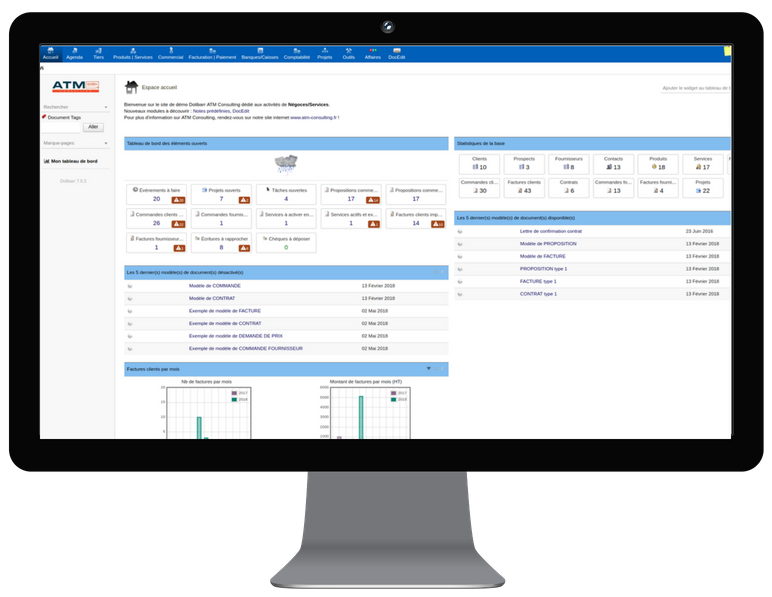
|
INCLUDED Access to module updates. Please note that the training and help with the installation are not included. |
UPDATES Corrective module updates will be published in the Dolistore.
|
CONTACT You need help? Your module has a functional issue ? |
 |
 |
 |
 |
 |
If you think this module is a fork of another one (published after the first one) or violates some terms or conditions of use (for users or vendors), you can make a report at dolistore@dolibarr.org